
Online Arduino IDE
Write, compile, and test real Arduino C++ sketches directly in your web browser. Type code freely in Monaco editor with Tab auto-complete, build quickly with 37 precompiled cloud libraries, fix bugs with built-in AI, and monitor live serial prints.
Everything you need to code, debug, and test
Take a look at how our web editor combines clean desktop C++ coding with modern cloud conveniences.
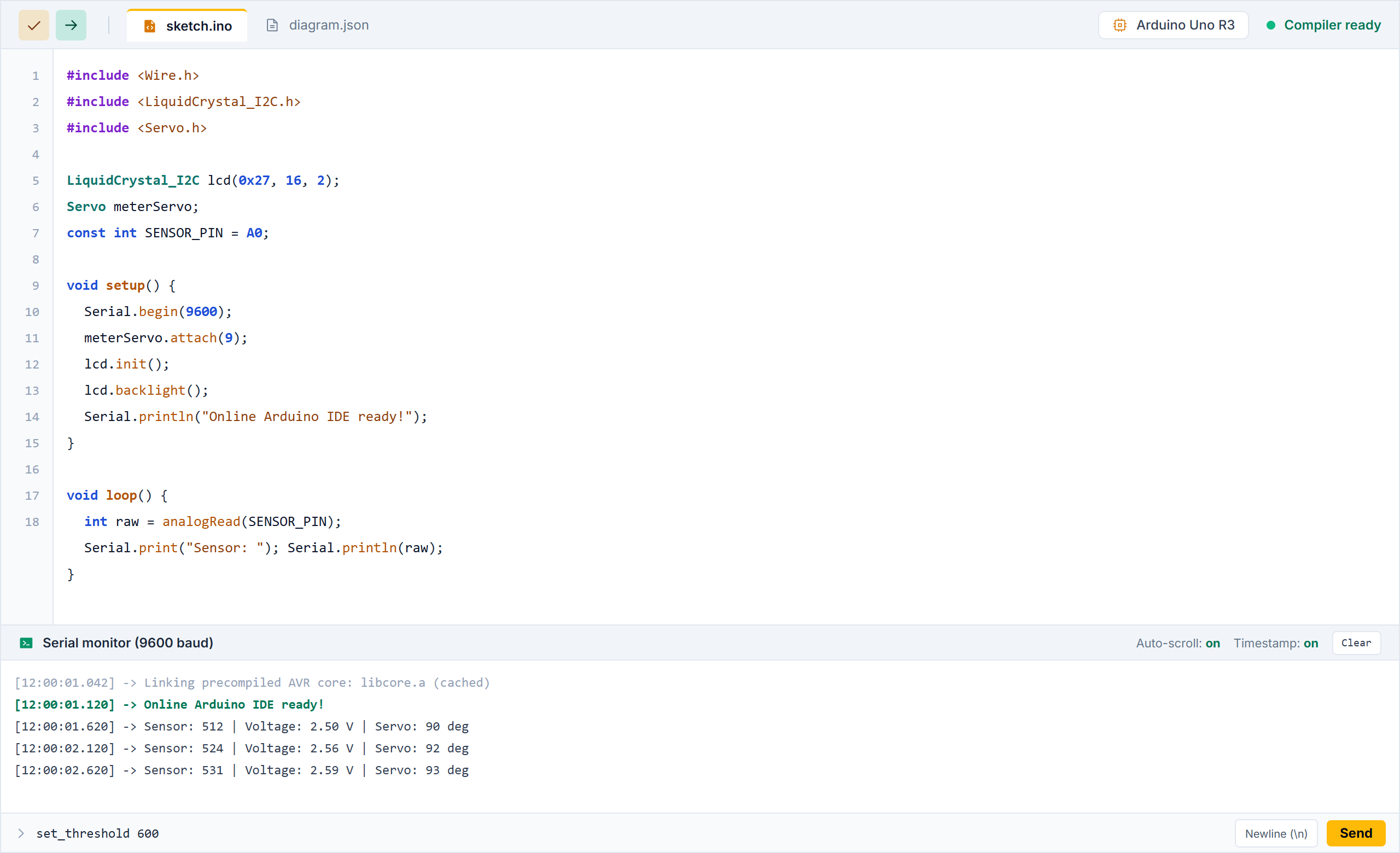
Type any C++ code with real desktop IDE power
Write Arduino sketches inside the clean Monaco code playground. Enjoy color highlights, bracket matching, line numbers, and fast Tab auto-complete so you can type code quickly.
- Type any standard Arduino C++ sketch, functions, and structs freely
- Fast Tab key auto-complete for keywords, loops, and variable names
- Clear syntax colors and immediate line error marks
Spot bugs quickly and roll back changes anytime
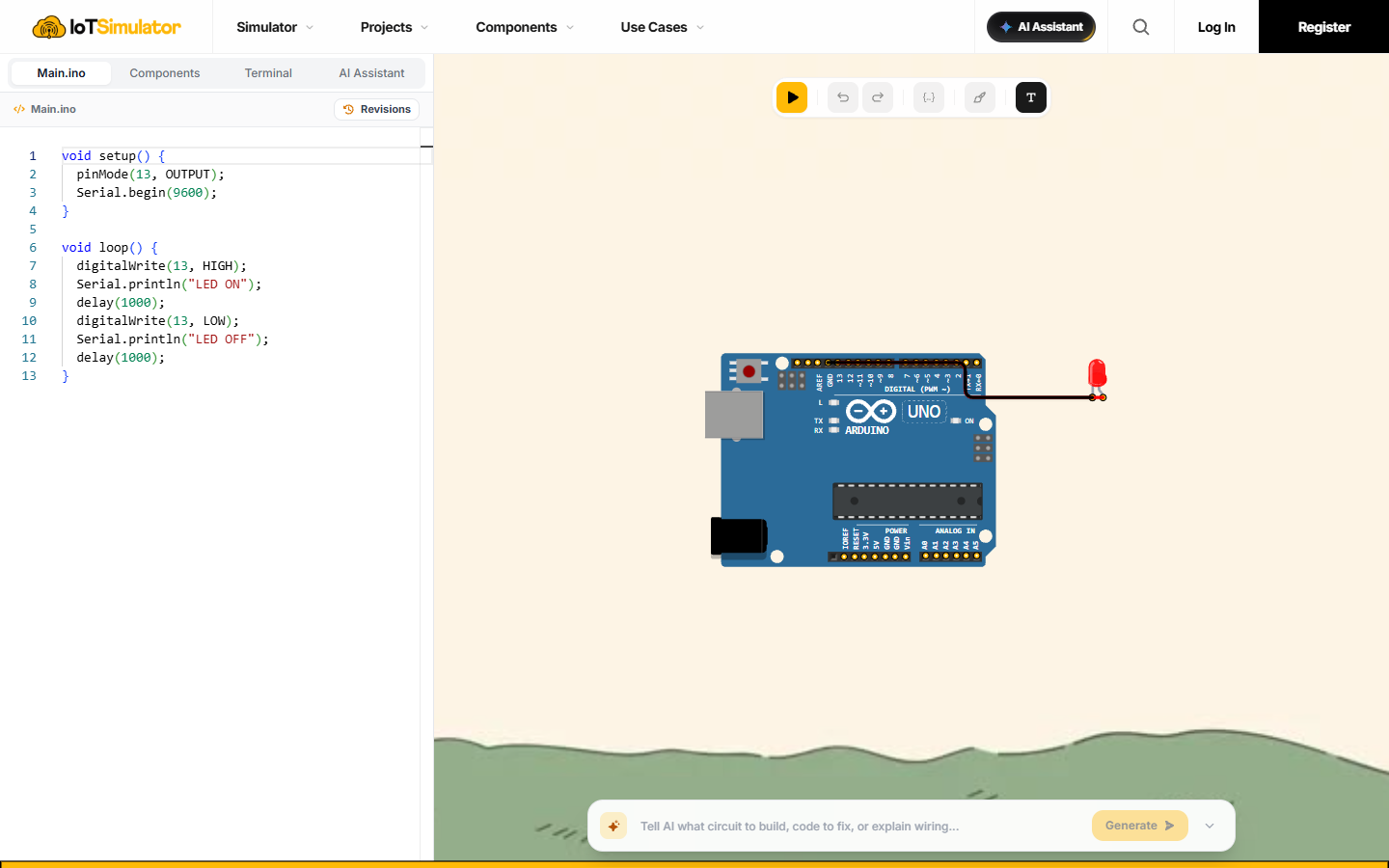
Do not worry about missing semicolons or typos. When a build fails, our AI reads the compiler note, explains what happened in plain words, and helps fix it. Want your old code back? Open revision history and restore earlier versions with one click.
- One-click AI code fixes that explain what went wrong in plain English
- Revision history drawer with saved code snapshots
- Restore any past version safely whenever you want to test new ideas
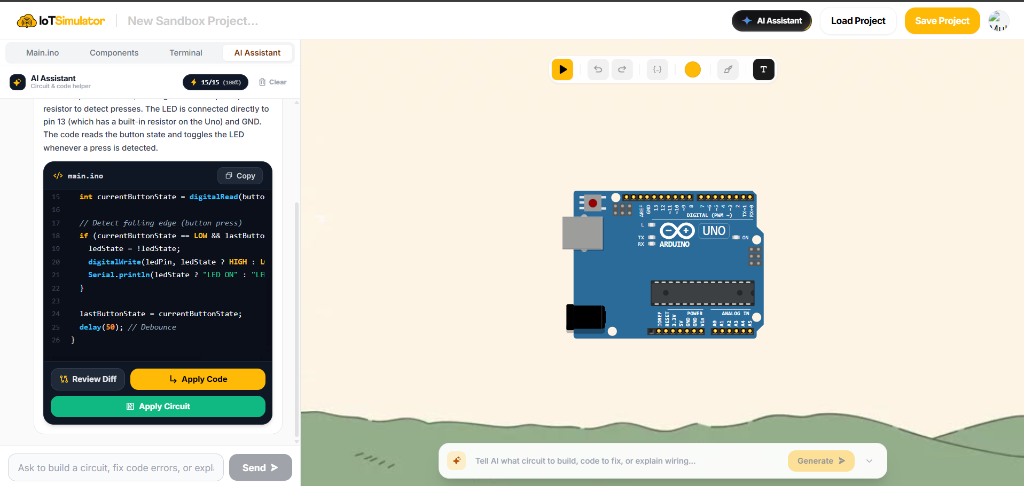
Live serial monitor, waveform plotter, and command input
Test your sketches easily. Watch print outputs in the serial monitor, send commands with custom line endings, or switch to the serial plotter to watch live sensor wave lines update on screen.
- Multi-channel serial plotter with live color wave lines
- Serial input box with newline options to send commands
- Read output logs and test inputs without physical USB cables

See your code control real virtual parts
Most code editors stop at compiling. Here, you can connect your code to virtual Arduino Uno, Nano, Mega, and ESP32 boards with sensors, LEDs, and displays on a breadboard to see your project work right away.
- Run code on virtual Arduino Uno, Nano, Mega, and ESP32
- Connect buttons, servos, displays, and sensors with neat color wires
- Zero risk of burnt components or loose physical wires
Why our online compiler builds code fast
Unlike slow browser compilers that rebuild massive core headers from scratch, our server maintains prebuilt core archives ready for Arduino Uno, Nano, Mega, ATTiny85, ESP32-C3, and RP2040. Your sketch links directly with ready binaries in seconds.
Displays, screens & graphics
10 libsSensors & environmental measurement
9 libsMotors, LEDs & touch inputs
11 libsConnectivity, time, bus & storage
7 libsProgram Arduino from your phone or tablet
No need to carry heavy laptops and cables. Open IoTSimulator in your mobile browser to edit code during your commute, test logic in class, or demonstrate projects on iPad and Android tablets with smooth touch gestures.
IoTSimulator online IDE vs desktop Arduino IDE
See how our browser editor compares factually against the desktop Arduino IDE for sketching and testing.
| Feature | IoTSimulator online IDE | Desktop Arduino IDE |
|---|---|---|
| Installation & setup | Zero install — opens immediately in your web browser | Requires downloading ~500MB installer and local setup |
| USB drivers (CH340 / CP2102 / FTDI) | None needed — runs completely inside browser and cloud | Required on Windows/Mac to detect physical boards |
| C++ code editor engine | Monaco Editor (VS Code core) with Tab auto-complete | Monaco Editor (Arduino IDE 2.0) or Scintilla (IDE 1.x) |
| Test code without physical hardware | Yes — connect virtual Arduino Uno, Nano, Mega & sensors on canvas | No — code can only compile, cannot test without real board |
| Precompiled cloud library cache | 37 popular libraries prebuilt on server for fast linking | Compiles locally; libraries installed via library manager |
| AI error fix & code explanations | Built-in Groq AI explains bugs and fixes code in 1 click | No native AI built-in; requires manual troubleshooting |
| Revision history & rollback | Automatic timeline drawer with 1-click restore | Requires setting up Git manually or external version control |
| Device compatibility | Works on Chromebooks, iPads, mobile phones, Mac, PC, Linux | Desktop OS only (Windows, macOS, Linux 64-bit) |
| Serial plotter & command sender | Built into workspace with wave graphs and custom TX line endings | Available as a separate popup window |
Frequently asked questions
Clear answers to common questions about writing C++ code, supported libraries, and running Arduino sketches online.