
Public Library
Project Showcase
Explore beginner-friendly IoT and microcontroller projects.
Search Filters
I
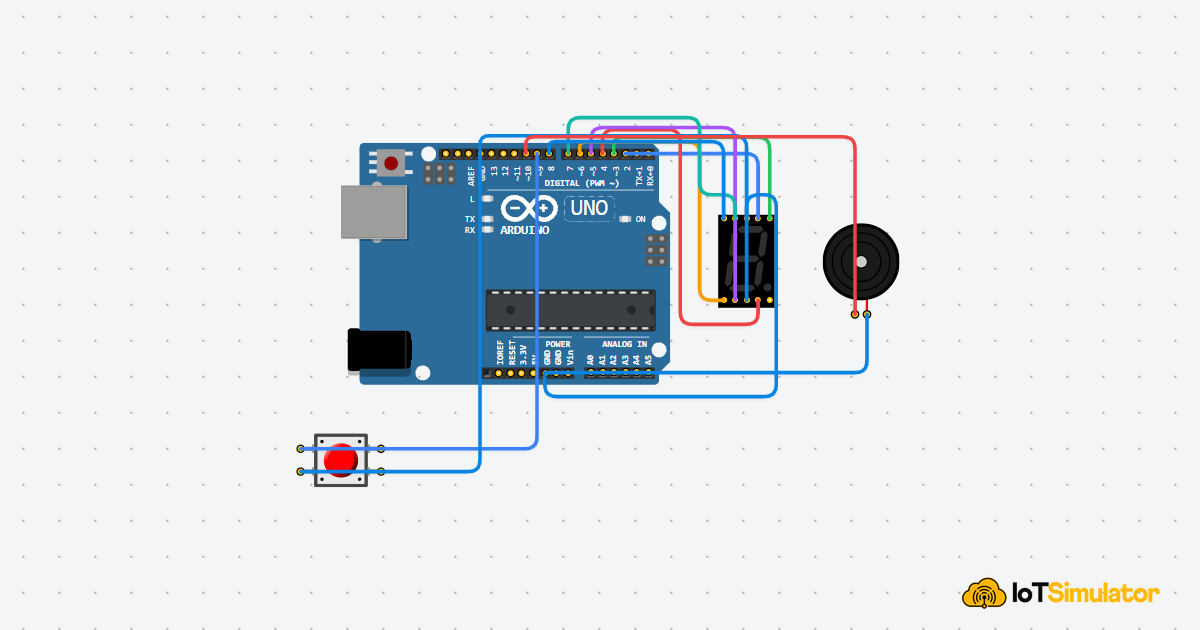
IoTSim EditorBuild a 7-Segment Countdown with Arduino
Build a simple countdown timer with an Arduino Uno, a single-digit 7-segment display, a push button, and a buzzer. Press the button to count from 9 down to 0, then hear a short finish alert when the countdown ends.
Arduino Uno7-Segment +2
I
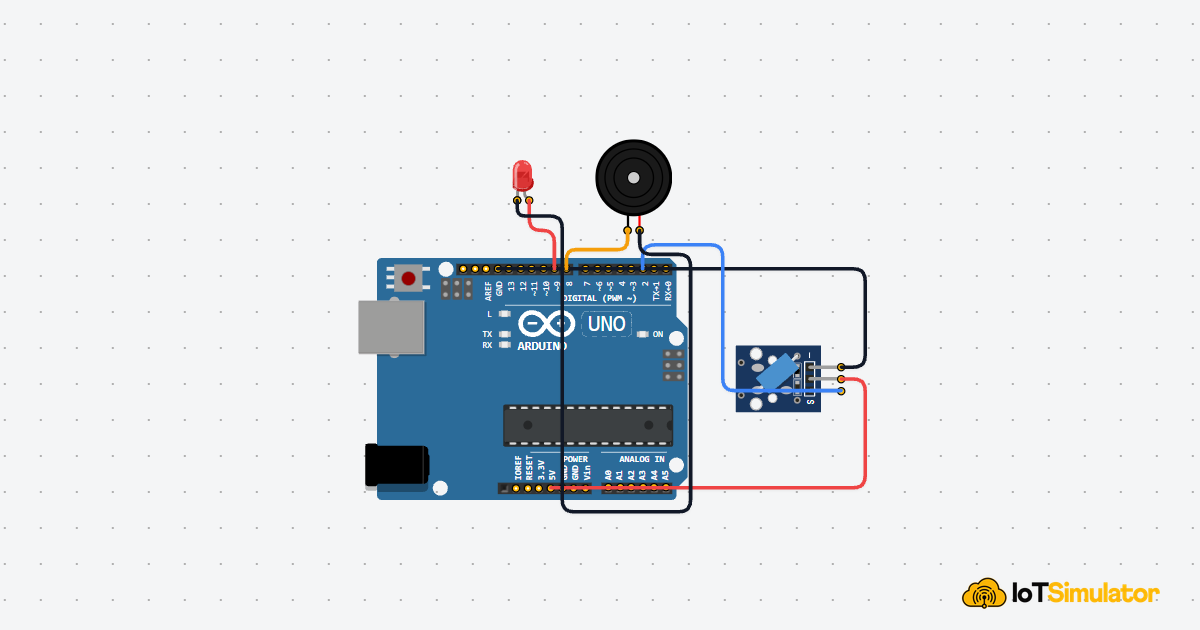
IoTSim EditorTurn Movement into an Alarm with Arduino
Build a small tilt alarm box with an Arduino Uno, a tilt switch, an LED, and a buzzer. The Arduino watches the tilt switch, confirms that the box has moved, then turns on both visual and sound alerts.
Arduino UnoTilt Switch +2
I
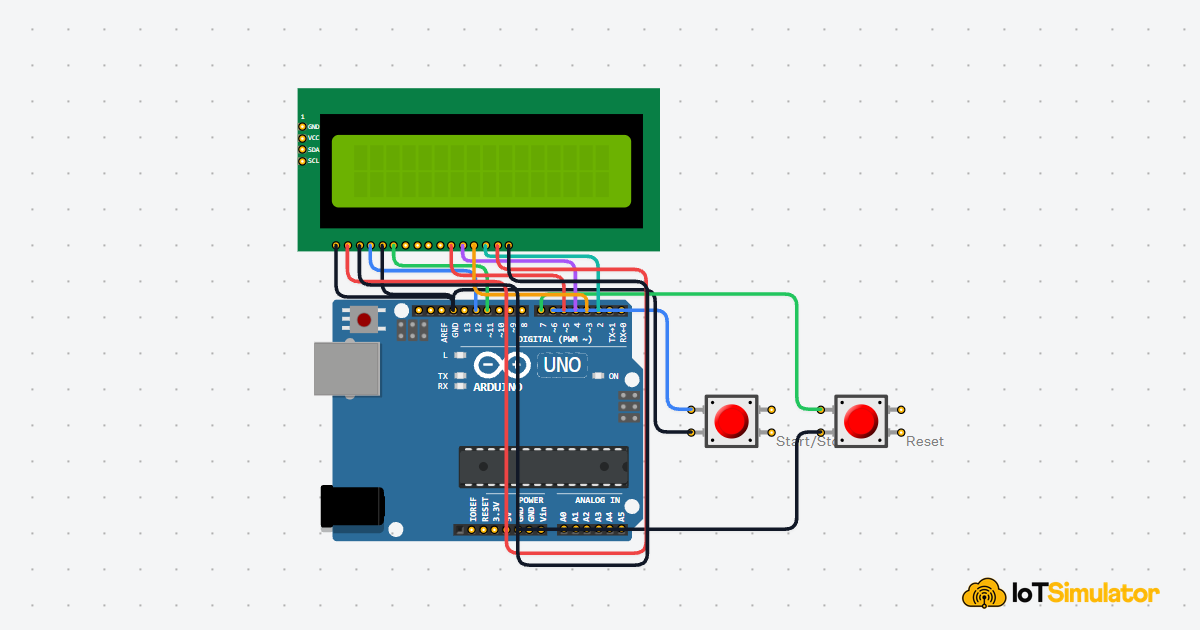
IoTSim EditorBuild a Mini Stopwatch Using Arduino
Build a beginner-friendly mini stopwatch with an Arduino Uno, two push buttons, and an LCD1602 display. One button starts and stops the timer, the other resets it, and the LCD shows elapsed seconds with a simple tenths-of-a-second display.
Arduino UnoPushbutton +1
I
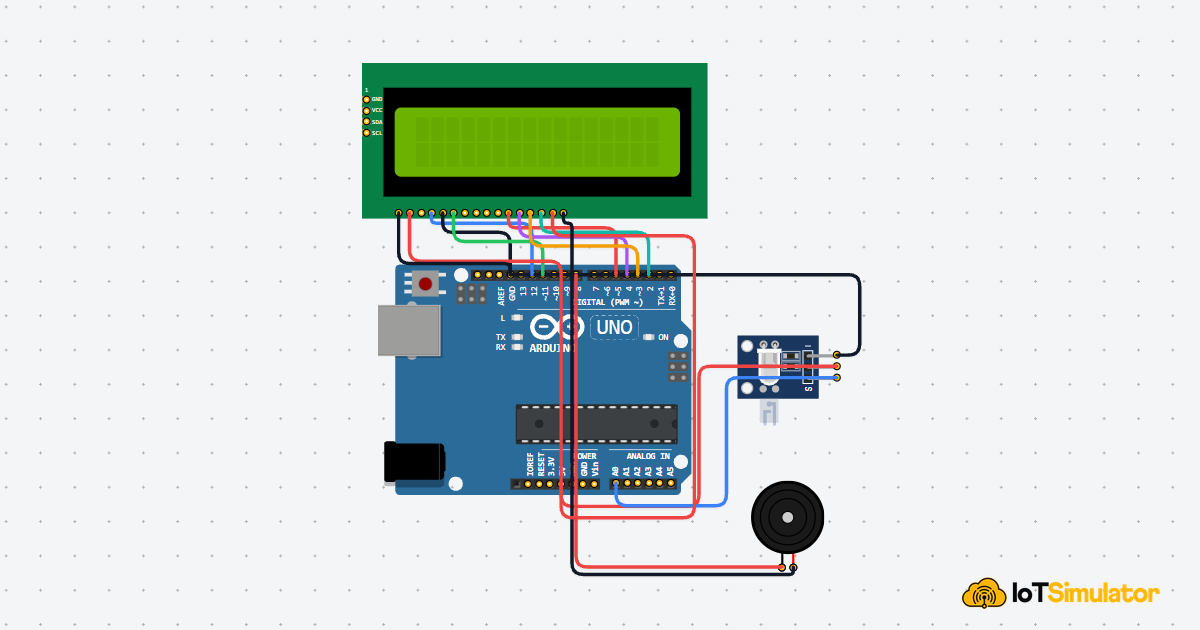
IoTSim EditorDisplay Heartbeat BPM on an Arduino LCD
Build an Arduino heartbeat monitor with a pulse-style heart beat sensor, an LCD1602 display, and a buzzer. The Arduino watches the analog pulse signal, detects clean beat peaks, estimates BPM from the time between beats, and shows the live result on the LCD.
Arduino UnoSensor +2
I
IoTSim EditorDesign a Color Weather Dashboard with Arduino
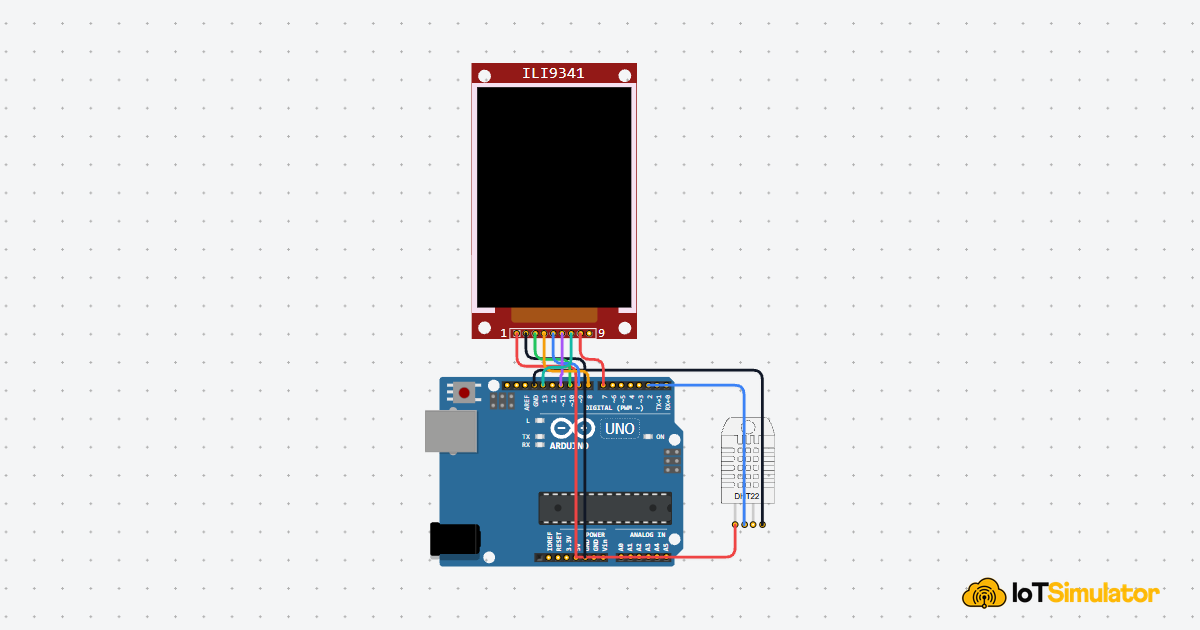
Build a small color weather dashboard with an Arduino Uno, a DHT22 temperature and humidity sensor, and an ILI9341 TFT display. The Arduino reads the room conditions, draws separate dashboard cards, and uses color to show whether the room feels cool, comfortable, warm, dry, or humid.
Arduino UnoDHT Sensor +1
I
IoTSim EditorBuild a Servo Door Lock with Arduino
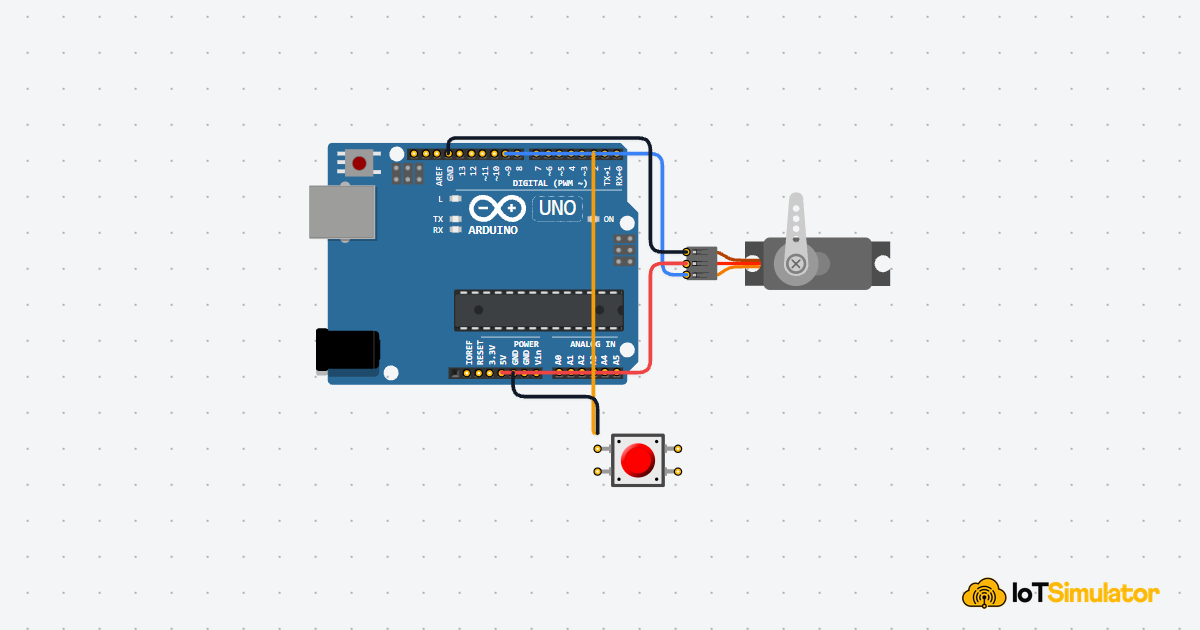
Connect a servo motor and a push button to your Arduino. Each press toggles the lock between open (0°) and closed (90°). This project introduces the most important thing a servo can do: move to a specific angle and stay there.
Arduino UnoServo Motor +1
I
IoTSim EditorArduino Ultrasonic Parking Distance Alert
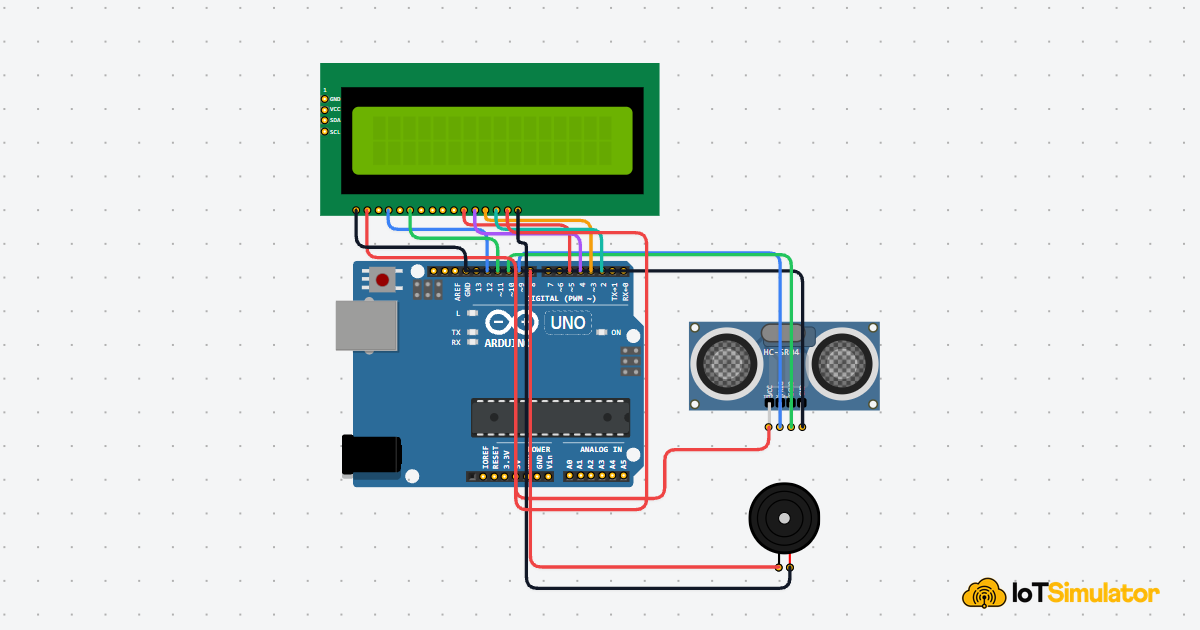
Build a simple parking helper with an HC-SR04 ultrasonic sensor, an LCD1602 display, and a buzzer. The Arduino measures how far an object is, shows the distance on the LCD, and changes the warning sound as the object gets closer.
Arduino UnoUltrasonic +2
I
IoTSim EditorBuild a Sound-Activated RGB LED with Arduino
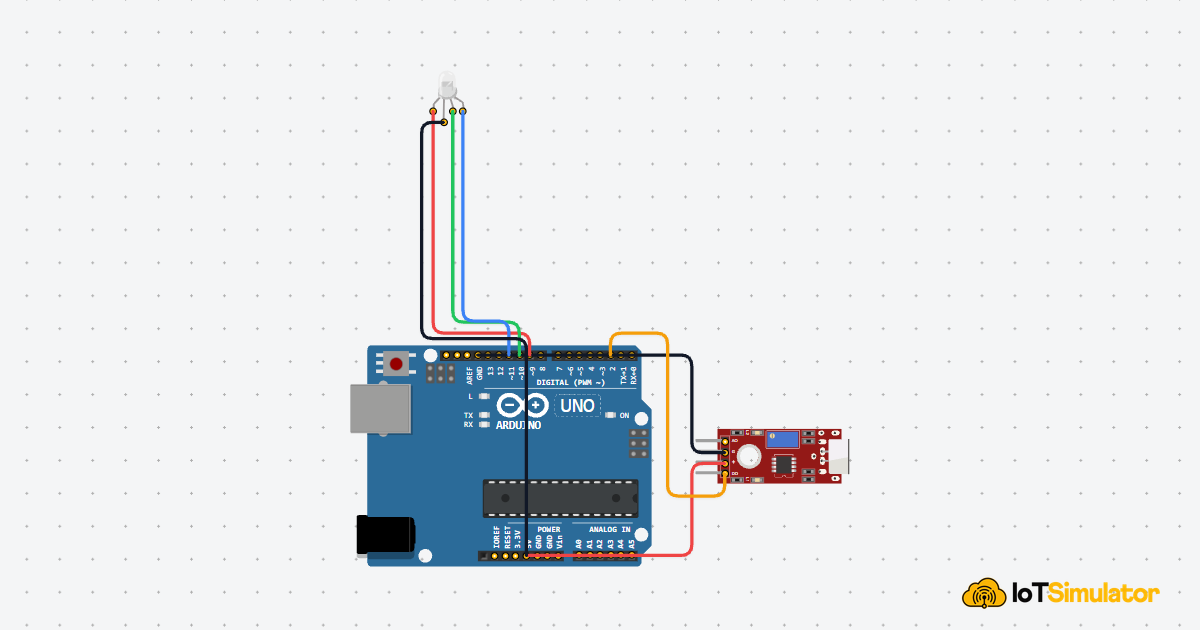
Connect a sound sensor and an RGB LED to your Arduino. Every time the sensor detects a loud enough sound — like a clap — the LED cycles to a new color. You will learn how digital sensors produce a falling edge, why that edge needs to be caught only once, and how to prevent a single clap from registering as five.
Arduino UnoSound Sensor +1
I
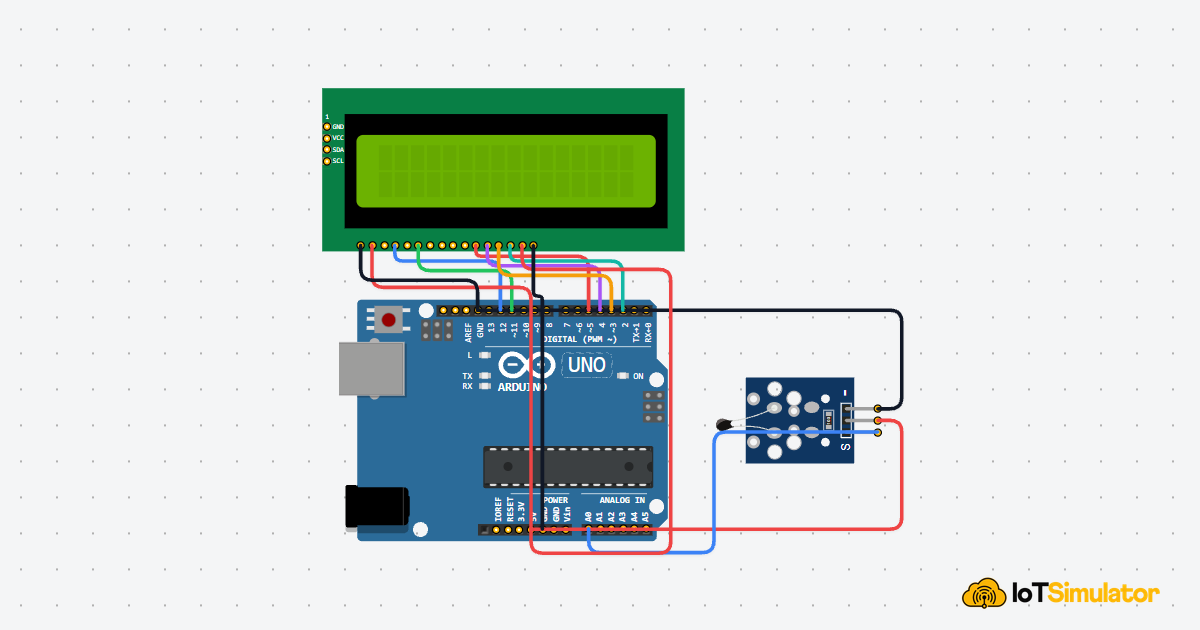
IoTSim EditorBuild a Digital Thermometer with Arduino
In this project you will wire an NTC temperature sensor and an LCD1602 display to your Arduino. The sensor reads the room temperature as a voltage, the Arduino converts that voltage into Celsius, and the LCD shows the result live — no computer screen needed.
Arduino UnoTemperature +1
I
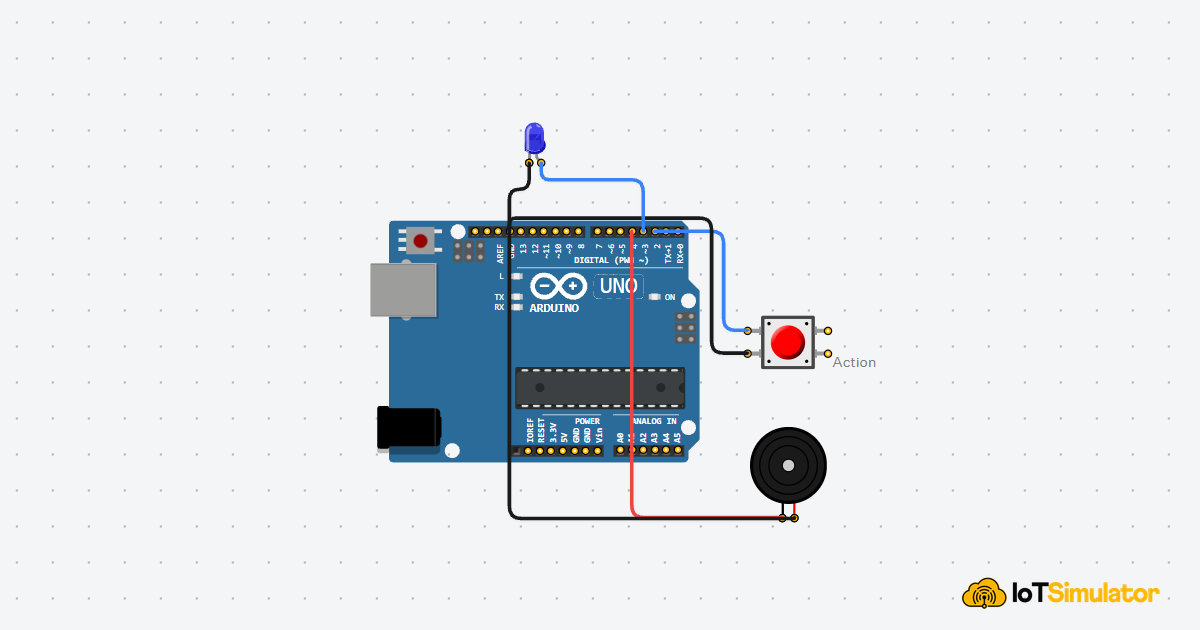
IoTSim EditorMaking a Beep and Flash with a Button
In this easy project you'll wire a push button to an Arduino so every press lights up a blue LED and sounds a buzzer. You'll learn how buttons work, why pins can be 'noisy', and a few simple code tricks to make your gadget feel snappy.
Arduino UnoLED +2
I
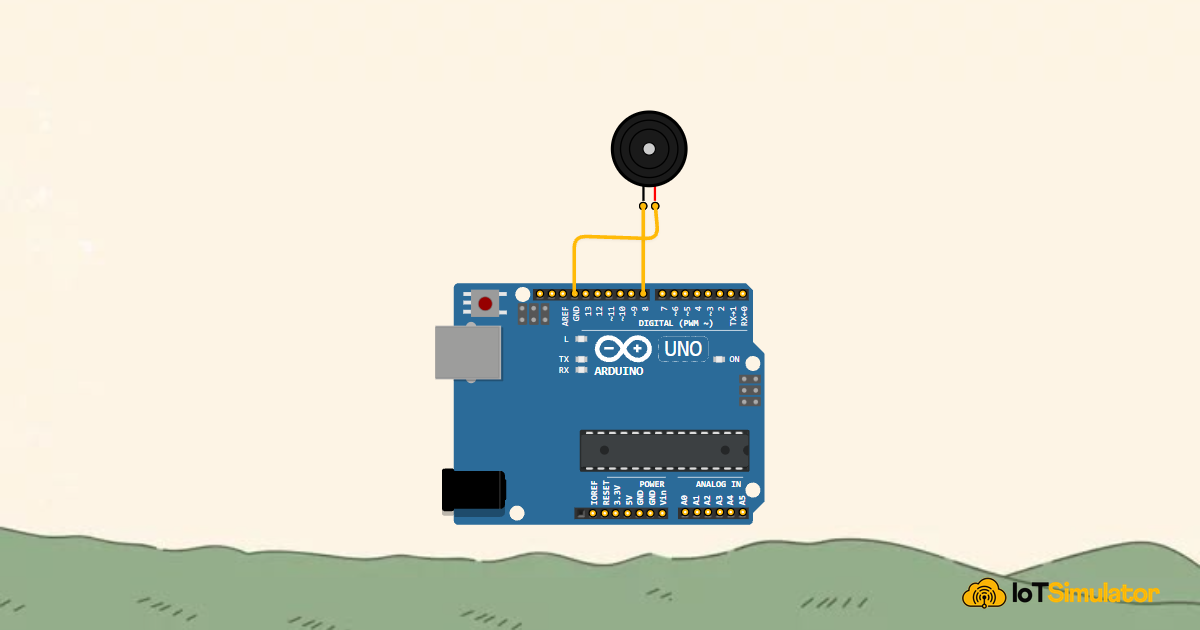
IoTSim EditorHow to Play Happy Birthday on a Buzzer with Arduino
In this project you will connect a small buzzer to your Arduino and make it play the Happy Birthday tune. You will learn how sound works, how to turn numbers into musical notes, and how to write code that plays a melody — all without needing any musical knowledge.
Arduino UnoBuzzer
I
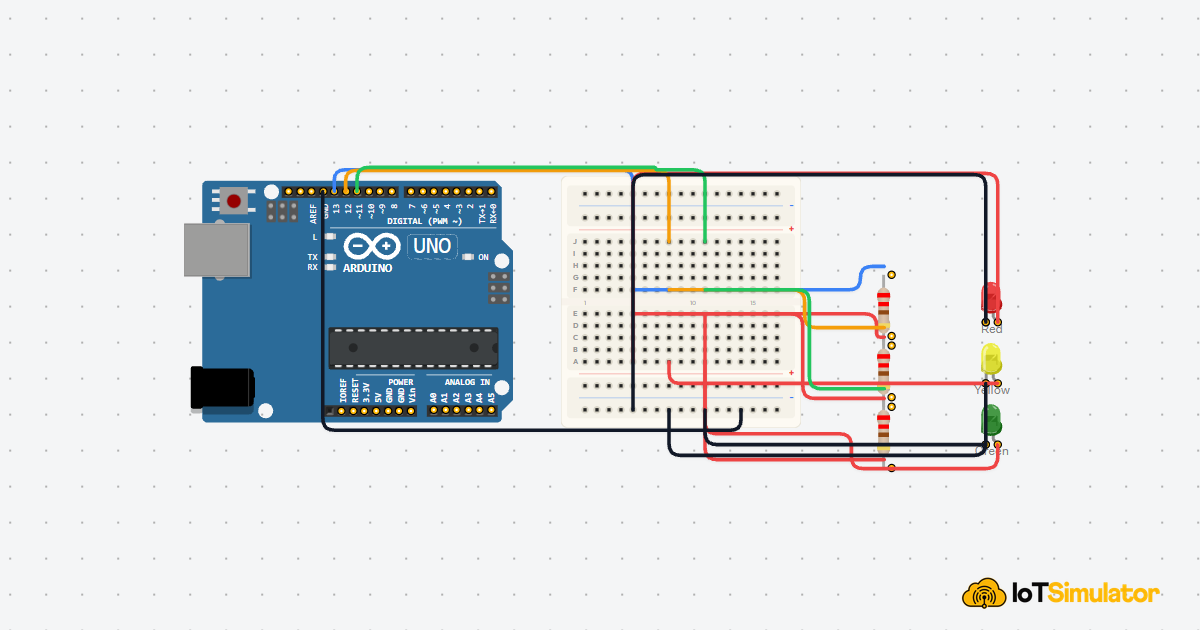
IoTSim EditorHow to Build an LED Traffic Light with Arduino
In this project you will connect three LEDs to your Arduino and make them blink in the same order as a real traffic light — Green, then Yellow, then Red.
Arduino UnoLED +1