Think of a breadboard like a reusable LEGO base for electronics: you can plug parts in, move them around, and try ideas fast - without soldering.
The only tricky part is that the holes are not all connected. Once you understand which holes share the same metal strip underneath, a breadboard becomes one of the easiest tools for learning wiring.
Description
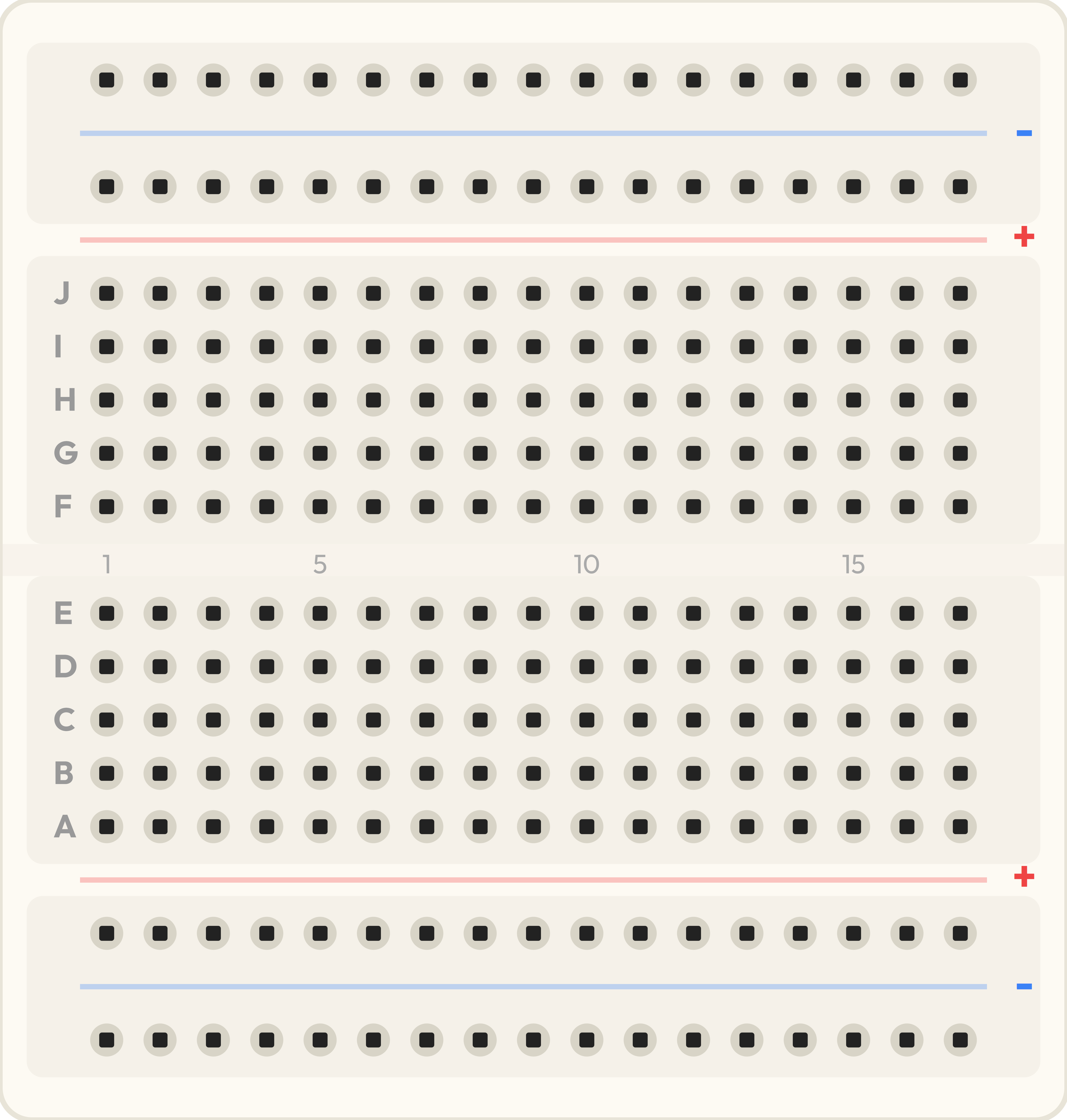
Tiny breadboard
A breadboard is a plastic block with a grid of holes. Under the plastic are springy metal clips. When two holes share the same metal clip, they are electrically connected - like they are already wired together.
This simulator's breadboard is a small 17-row style board. It has a center gap and four power rails: top minus (
T-), top plus (T+), bottom plus (B+), and bottom minus (B-).Features
| Feature | Why it matters |
|---|---|
| Solderless connections | Fast to build and easy to change while learning. |
| 5-hole terminal rows | Perfect for joining a few leads together (like a wire, a resistor leg, and an LED leg). |
| Center gap | Lets DIP chips sit across the gap so the two sides don't short together. |
| Power rails (T+/T-/B+/B-) | Gives you a simple way to distribute 5V/3.3V and GND. |
How the Holes Connect
A breadboard has two connection zones:
1) Terminal strips (the main grid)
Each numbered row is split into two groups of five holes because of the center gap.
- Left group:
10A,10B,10C,10D,10Eare connected together. - Right group:
10F,10G,10H,10I,10Jare connected together. - Across the gap:
10Eis not connected to10Funless you add a part (like a resistor) bridging the gap.
This is why beginners place a DIP chip across the gap: pins on the left side land in A-E, and pins on the right side land in F-J, keeping them separated.
2) Power rails (the long rails)
The rails are long columns meant for power distribution:
T+andT-run along the top edge.B+andB-run along the bottom edge.
On this simulator breadboard, each rail is continuous end-to-end (for example
T+1 is connected to T+17). On some real breadboards, rails can be split in the middle, so it's a good habit to check with a continuity test.Common Beginner Mistakes
- Forgetting GND: your circuit needs a return path. Without ground, signals don't have a reference and things act strange.
- LED in the same row: if both LED legs land in one connected 5-hole row, the LED gets shorted and won't behave correctly.
- Assuming rails are connected: left/right rails might not be connected on larger breadboards. Bridge them with a jumper if you need the same power on both sides.
Demo: Use a Breadboard to Blink an LED
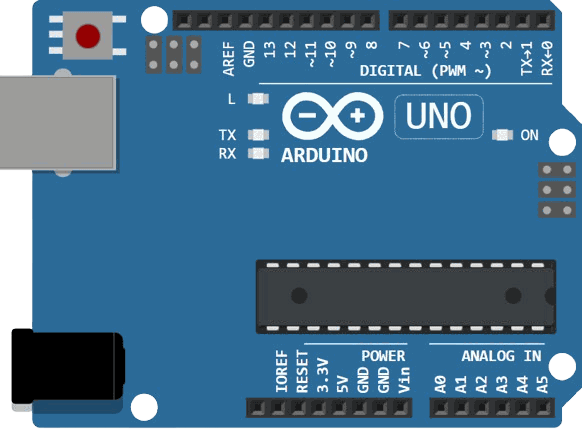
This mini build shows both concepts at once: the terminal row is used to join Arduino pin 13 to a resistor, and the power rail is used as a convenient ground bus.
Arduino Uno pin 13 drives an LED through a resistor. The breadboard row makes the connection easy, and the rail keeps GND tidy.

SCL
SDA
AREF
GND.1
D13
D12
D11
D10
D9
D8
D7
D6
D5
D4
D3
D2
D1
D0
IOREF
RESET
3V3
5V
GND.2
GND.3
VIN
A0
A1
A2
A3
A4
A5
1J
1I
1H
1G
1F
1E
1D
1C
1B
1A
2J
2I
2H
2G
2F
2E
2D
2C
2B
2A
3J
3I
3H
3G
3F
3E
3D
3C
3B
3A
4J
4I
4H
4G
4F
4E
4D
4C
4B
4A
5J
5I
5H
5G
5F
5E
5D
5C
5B
5A
6J
6I
6H
6G
6F
6E
6D
6C
6B
6A
7J
7I
7H
7G
7F
7E
7D
7C
7B
7A
8J
8I
8H
8G
8F
8E
8D
8C
8B
8A
9J
9I
9H
9G
9F
9E
9D
9C
9B
9A
10J
10I
10H
10G
10F
10E
10D
10C
10B
10A
11J
11I
11H
11G
11F
11E
11D
11C
11B
11A
12J
12I
12H
12G
12F
12E
12D
12C
12B
12A
13J
13I
13H
13G
13F
13E
13D
13C
13B
13A
14J
14I
14H
14G
14F
14E
14D
14C
14B
14A
15J
15I
15H
15G
15F
15E
15D
15C
15B
15A
16J
16I
16H
16G
16F
16E
16D
16C
16B
16A
17J
17I
17H
17G
17F
17E
17D
17C
17B
17A
T-1
T+1
B+1
B-1
T-2
T+2
B+2
B-2
T-3
T+3
B+3
B-3
T-4
T+4
B+4
B-4
T-5
T+5
B+5
B-5
T-6
T+6
B+6
B-6
T-7
T+7
B+7
B-7
T-8
T+8
B+8
B-8
T-9
T+9
B+9
B-9
T-10
T+10
B+10
B-10
T-11
T+11
B+11
B-11
T-12
T+12
B+12
B-12
T-13
T+13
B+13
B-13
T-14
T+14
B+14
B-14
T-15
T+15
B+15
B-15
T-16
T+16
B+16
B-16
T-17
T+17
B+17
B-17
1
2
A
C
K
If the LED does not light up, check two things first: (1) the LED direction (
A goes to the resistor, C goes to GND), and (2) that you used the same numbered row (for example 10A to 10E are connected, but 11A is a different row).Wrapping Up
A breadboard is simple once you memorize the rule: rows connect in groups of five, and rails connect in long lines. After that, most wiring mistakes become easy to spot and fix.
When you build your next circuit, start by choosing a ground rail, bring GND to it once, and then reuse that rail everywhere. Your wiring stays cleaner and you spend less time debugging.