Dual-Axis Pan and Tilt Gimbal Turret with Analog Joystick

Live project track
Have you ever controlled a surveillance security camera or robotic camera crane using an analog joystick? Being able to smoothly look left, right, up, and down using a single thumbstick is the foundation of robotic vision systems.
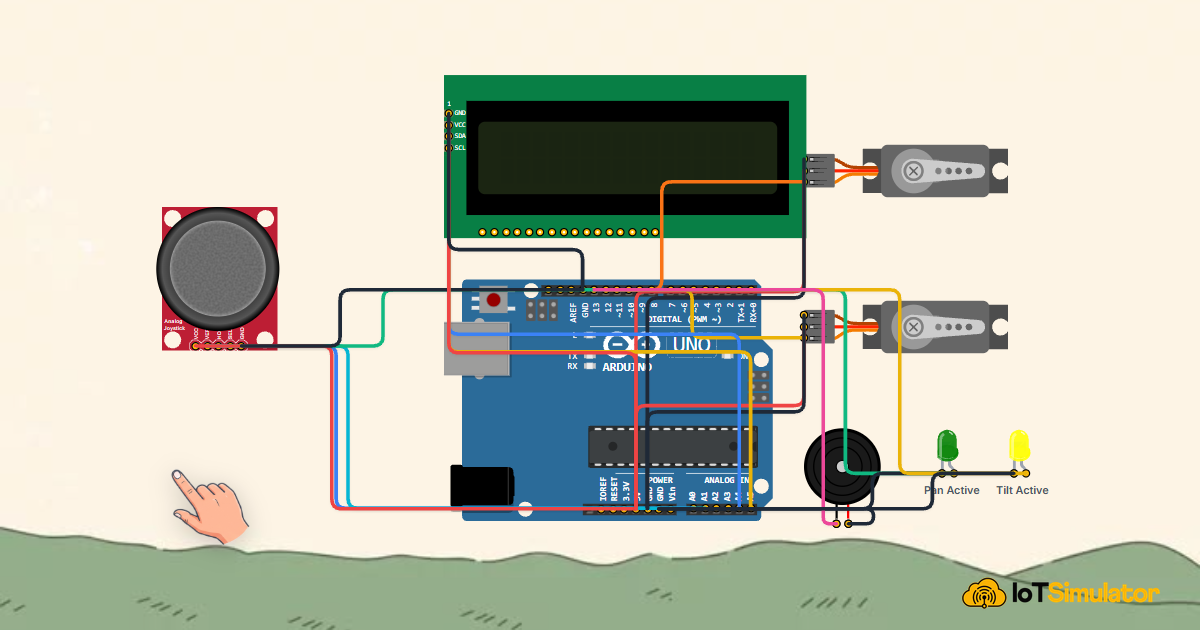
In this project, you will build a dual-axis pan-and-tilt gimbal turret using an Arduino Uno, a 2-axis analog thumb joystick, and two SG90 micro servos. The core concept to master is: mapping 2-axis continuous analog potentiometer voltages (X and Y coordinates) into precise servo angular positions (0° to 180°) with deadband filtering to eliminate mechanical jitter.
How 2-Axis Thumb Joysticks and Servos Coordinate
Think of an analog joystick as two independent rotary volume knobs mounted at 90-degree angles to each other. When you push the joystick forward, you turn the Y-axis potentiometer. When you push it sideways, you turn the X-axis potentiometer.
Each potentiometer acts as a variable voltage divider connected to 5V and GND. The center wiper contact outputs an analog voltage ranging smoothly from 0V to 5V. When the joystick rests centered with your thumb removed, internal centering springs hold both wipers near 2.5V (corresponding to an ADC reading of approximately 512).
| Stick Position | X-Axis Voltage (ADC) | Y-Axis Voltage (ADC) | Gimbal Servo Action |
|---|---|---|---|
| Center Resting | ~ 2.5V (512 counts) | ~ 2.5V (512 counts) | Turret Center (Pan 90°, Tilt 90°) |
| Full Right | ~ 5.0V (1023 counts) | ~ 2.5V (512 counts) | Pan Max Right (180°) |
| Full Left | ~ 0.0V (0 counts) | ~ 2.5V (512 counts) | Pan Max Left (0°) |
| Full Up / Forward | ~ 2.5V (512 counts) | ~ 5.0V (1023 counts) | Tilt Skyward (180°) |
| Full Down / Back | ~ 2.5V (512 counts) | ~ 0.0V (0 counts) | Tilt Groundward (0°) |
The Arduino reads both analog channels using analogRead(A0) and analogRead(A1). The map() function translates the 0-1023 ADC range into the 0-180 degree range required by the SG90 pan and tilt servos.
A deadband threshold of ±15 counts prevents the servos from buzzing or twitching when the stick is left resting in the center position.
Deadband filtering ignores minor electrical noise near center resting positions, extending the mechanical lifespan of servo nylon gears.
Building the Dual-Axis Turret Circuit
The Arduino Uno powers the joystick module and both SG90 micro servos from its 5V power pin, connecting to a shared GND reference. 5V supplies the servo motors and potentiometer tracks, while GND provides the return current path.
Joystick axes VRX and VRY connect to analog inputs A0 and A1. The pan servo signal wire connects to PWM pin D9, and the tilt servo connects to PWM pin D10.
The Complete Dual-Axis Turret Sketch
Below is the complete Arduino sketch for the pan-tilt turret. It samples the analog thumbstick, applies deadband smoothing, and articulates both servos in real time.
#include <Servo.h>

Servo panServo;
Servo tiltServo;

const int joyXPin = A0;
const int joyYPin = A1;
const int joyBtnPin = 2;

const int panServoPin = 9;
const int tiltServoPin = 10;

void setup() {
  Serial.begin(9600);
  pinMode(joyBtnPin, INPUT_PULLUP);

  panServo.attach(panServoPin);
  tiltServo.attach(tiltServoPin);

  // Center both servos on startup
  panServo.write(90);
  tiltServo.write(90);

  Serial.println("[System]: Pan-Tilt Turret Initialized & Homed");
}

void loop() {
  int xVal = analogRead(joyXPin);
  int yVal = analogRead(joyYPin);

  // Map analog 0-1023 to servo angles 0-180
  int panAngle = map(xVal, 0, 1023, 0, 180);
  int tiltAngle = map(yVal, 0, 1023, 0, 180);

  panServo.write(panAngle);
  tiltServo.write(tiltAngle);

  // Optional center reset on button press
  if (digitalRead(joyBtnPin) == LOW) {
    panServo.write(90);
    tiltServo.write(90);
    Serial.println("[Action]: Stick Clicked - Re-homed to Center (90, 90)");
    delay(300);
  }

  delay(20);
}
How the Code Works, Step by Step
Let us review how analog voltages translate into fluid physical movement.
Attaching Servos and Initial Homing
The sketch declares panServo and tiltServo, attaching them to PWM pins 9 and 10. During setup(), both servos receive write(90), aligning the gimbal to its center neutral resting position.
Sampling Analog Axes and Scaling Angles
Inside loop(), analogRead(joyXPin) and analogRead(joyYPin) acquire stick coordinates. The map() function linearly converts 0-1023 into 0-180 degrees. The servos follow your thumb movement with less than 20 milliseconds of latency.
Pushbutton Quick Homing
Pressing downward on the joystick activates the internal pushbutton switch on pin 2. When pressed, the turret instantly snaps back to (90°, 90°) center position.
Practical Testing and Tuning
In the simulator, click and drag the Analog Joystick handle. Watch both SG90 servo arms articulate smoothly in direct synchronization with your mouse cursor. Click the joystick button to verify automatic center re-homing.
More in Arduino Uno
Arduino Single-Axis Solar Tracker with Dual LDRs and Servo
Arduino Fire Alarm & Gas Leak Detector with Siren and Relay
Arduino Smart Parking Barrier & Slot Counter with Ultrasonic Sensor
Arduino Automatic Plant Watering & Soil Moisture Irrigation System
Arduino Digital Kitchen Scale with HX711 Load Cell and LCD
More in Analog Joystick
More in Servo Motor
Arduino Single-Axis Solar Tracker with Dual LDRs and Servo
Arduino Smart Parking Barrier & Slot Counter with Ultrasonic Sensor
Arduino Touchless Smart Dustbin with Ultrasonic Sensor and Servo
Control a Servo Positioner with a Raspberry Pi Pico
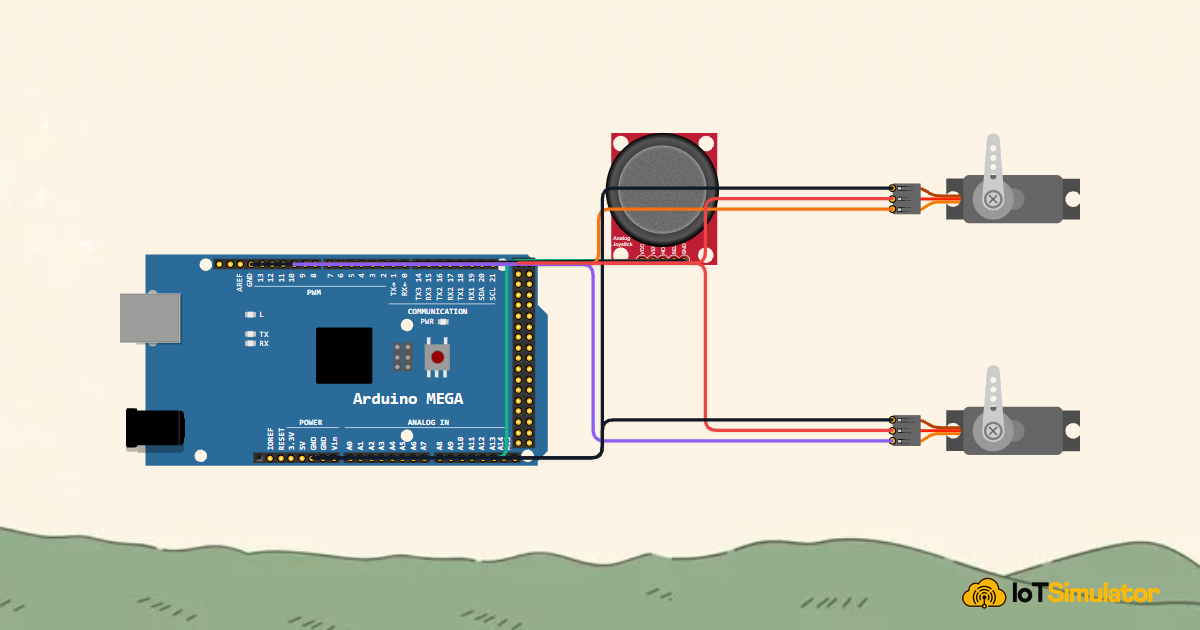
Control a Pan and Tilt Servo with an Arduino Mega and Joystick
More in LCD1602
Arduino Single-Axis Solar Tracker with Dual LDRs and Servo
Arduino Fire Alarm & Gas Leak Detector with Siren and Relay
Arduino Smart Parking Barrier & Slot Counter with Ultrasonic Sensor
Arduino Automatic Plant Watering & Soil Moisture Irrigation System
Arduino Digital Kitchen Scale with HX711 Load Cell and LCD
More in LED
Arduino Smart Parking Barrier & Slot Counter with Ultrasonic Sensor
Arduino Smart Solar Streetlight with LDR and PIR Motion Sensor
Build a 4-Key Piano Synthesizer with a Raspberry Pi Pico W
Build a Smart Climate Monitor with a Raspberry Pi Pico W
Control a Servo Positioner with a Raspberry Pi Pico
More in Buzzer
Arduino Fire Alarm & Gas Leak Detector with Siren and Relay
Arduino Smart Parking Barrier & Slot Counter with Ultrasonic Sensor
Arduino Flood Early Warning & Water Level Monitor with Ultrasonic
Build a 4-Key Piano Synthesizer with a Raspberry Pi Pico W